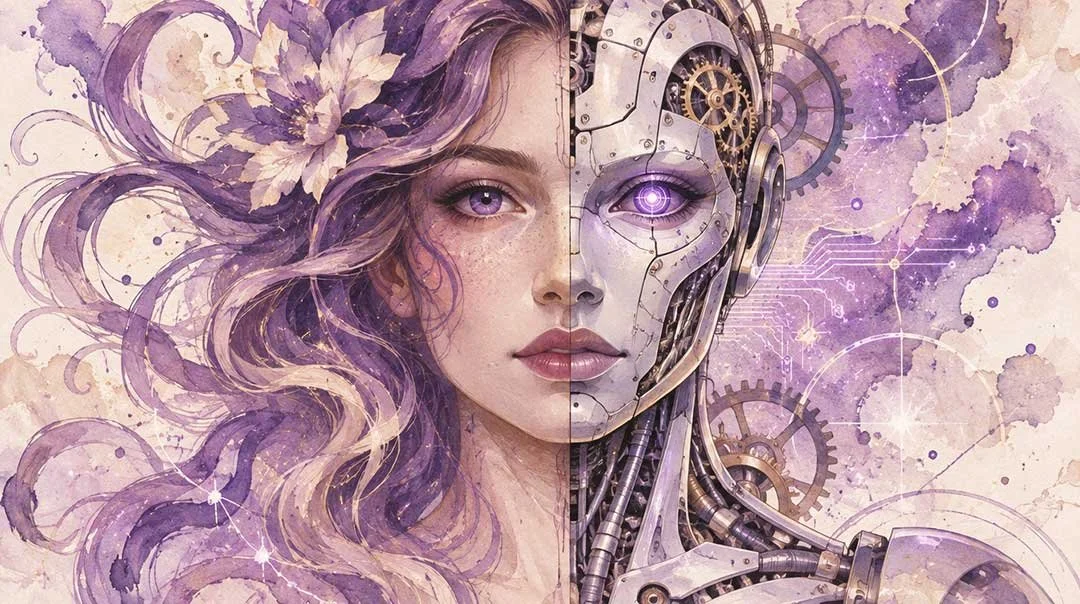
AI presentation design is fast, but is it unique enough to sell a pitch? A designer's honest look at AI presentation tools, where they shine, where they fall short, and when to hire a professional.
Building a pitch deck used to mean a blank slide and a long evening. Today, you can type a sentence into an AI presentation maker and have a full set of slides created in a few minutes. As a presentation designer, I don't use these AI presentation tools or applications, although I do use AI in other creative ways, which I will share later.
The question I hear often is, can I use AI to replace a presentation designer?
The honest answer is for some tasks, yes, and for others, not even close! This article breaks down how AI presentation design works, what it does well, where it falls short, and how to decide between an AI tool and a professional presentation designer.
How do AI presentation tools work?
Most AI presentation tools follow the same basic steps. You give them a prompt, an outline, upload a Word document. The tool drafts the structure, writes the slide text, picks a layout and pulls in imagery. You then edit the results. The differences between tools are mostly in where they live and how much control they give you. Here is a breakdown of the most popular presentation AI tools
Claude AI can write a comprehensive presentation, but their layout is very basic. It creates an editable PowerPoint file which you can download and edit on your desktop.
Microsoft Copilot in PowerPoint works inside the application which many of us already use. You can start from a prompt or reference a file such as a Word document, and Copilot builds a draft using your chosen template. If your organization has a Brand Kit, Copilot can apply it. Copilot also suggest various design layouts in the side panel which can be quite handy and useful especially if you’re on a tight deadline.
Gamma is a browser-based AI presentation maker that turns a prompt, document or imported deck into a finished-looking draft, then lets you refine it with its editor or built-in AI assistant. It also supports exporting to PPTX, though exports can need formatting cleanup.
Canva uses Magic Design to generate presentation drafts from a prompt, backed by its huge library of templates and assets. It's a general design platform, so presentations are one of many things it does.
Beautiful.ai is built specifically for presentations. Its smart templates adjust automatically as you add content, and its DesignerBot generates slides from a text description. It works by guardrails: it's hard to make a slide look truly bad, but it's also built around templates rather than fully custom layouts.
Other apps: More AI apps are coming out and they work similarly to Gamma and Beautiful.ai
Even though these are different interfaces, they offer a similar promise, a presentable deck that’s made fast.
What AI does well, the pros
I'd be doing you a disservice if I pretended AI-generated presentations weren't useful. Here's where they genuinely earn their place.
First drafts. The blank page is the hardest part of any deck. An AI presentation tool gives you something to react to in seconds. Even when the draft is wrong, a wrong draft is easier to fix than a blank slide for most who are not creatives.
Layout generation. AI tools are good at placing a title, a few bullets and an image so the slide looks tidy. For internal updates or quick working sessions, that's often all you need.
Summarizing content. Feed a long report or document into a tool like Claude.ai or ChatGPT and it will condense it into one slide. That saves real time at the start of a project.
Suggesting visuals. AI can propose icons, stock imagery and generated illustrations, which helps when you're staring at a text-heavy slide and need a starting point.
Speed and cost. For a low-stakes deck needed this afternoon, an AI presentation tool is hard to beat.
A few of my clients use it for exactly these things: rough structure, content summarizing and quick concept exploration. It's a good assistant. The question is whether it's a good designer.
Where AI falls short, the cons
This is where the gap shows, it's in the details that decide whether a presentation works.
Brand consistency
AI tools can apply a logo, a colour palette and a font. That's not the same as understanding a brand. A real brand system includes rules about spacing, hierarchy, graphics, imagery style, tone and what not to do. AI tends to approximate a brand, and approximations are exactly what make a company's slides look slightly off from one department to the next.Summarizing complex charts and data
AI can drop a chart onto a slide. It struggles to decide which chart tells the story, how to simplify twelve data series into one clear message, or how to highlight the single number your audience needs to remember. Data visualization is an editorial decision as much as a technical one, and getting it wrong misleads people. Designers often use their visual storytelling skills to spin a complex chart into something more interesting to read and look at, this is called infographic design.Storytelling
A deck isn't a list of topics. It's an argument with a beginning, a build and a point. AI tends to produce a tidy sequence of slides that covers the subject but rarely persuades. A designer asks what the audience should think, feel and do at each moment, and then shapes the flow to get them there. For example, designers will implement breaker slides to create beats and a build up for a live presentation.Visual hierarchy
Hierarchy is the quiet skill behind every great slide: what the eye sees first, second and third. AI layouts are often balanced but flat, giving every element similar weight. The result looks fine at a glance and communicates little. It doesn’t know what information to highlight and make stand out.Custom design
Because AI tools lean on templates and patterns, many decks end up looking alike. If your pitch deck looks like everyone else's AI pitch deck, you've lost a chance to stand out. Custom illustration, bespoke layouts and original visual ideas are still human made. I am seeing more and more Claude.ai slide decks in corporate meetings. They look blocky and boring and it’s obvious that they used AI!Creative guidance and personalized service
This is the biggest difference. A designer doesn't just make slides. A designer pushes back. They'll tell you that your slide has “too much content” and should be condensed or split, that your main point is buried, that the image you love is working against your message. That creative advice and guidance, the ability to look at your content and say this could be better, and here's how, is something AI doesn't offer. An experienced good designer tells you what you need and how to solve your problem. And most importantly they will do the hard work and all you have to do is tell us what your vision is through an initial meeting.
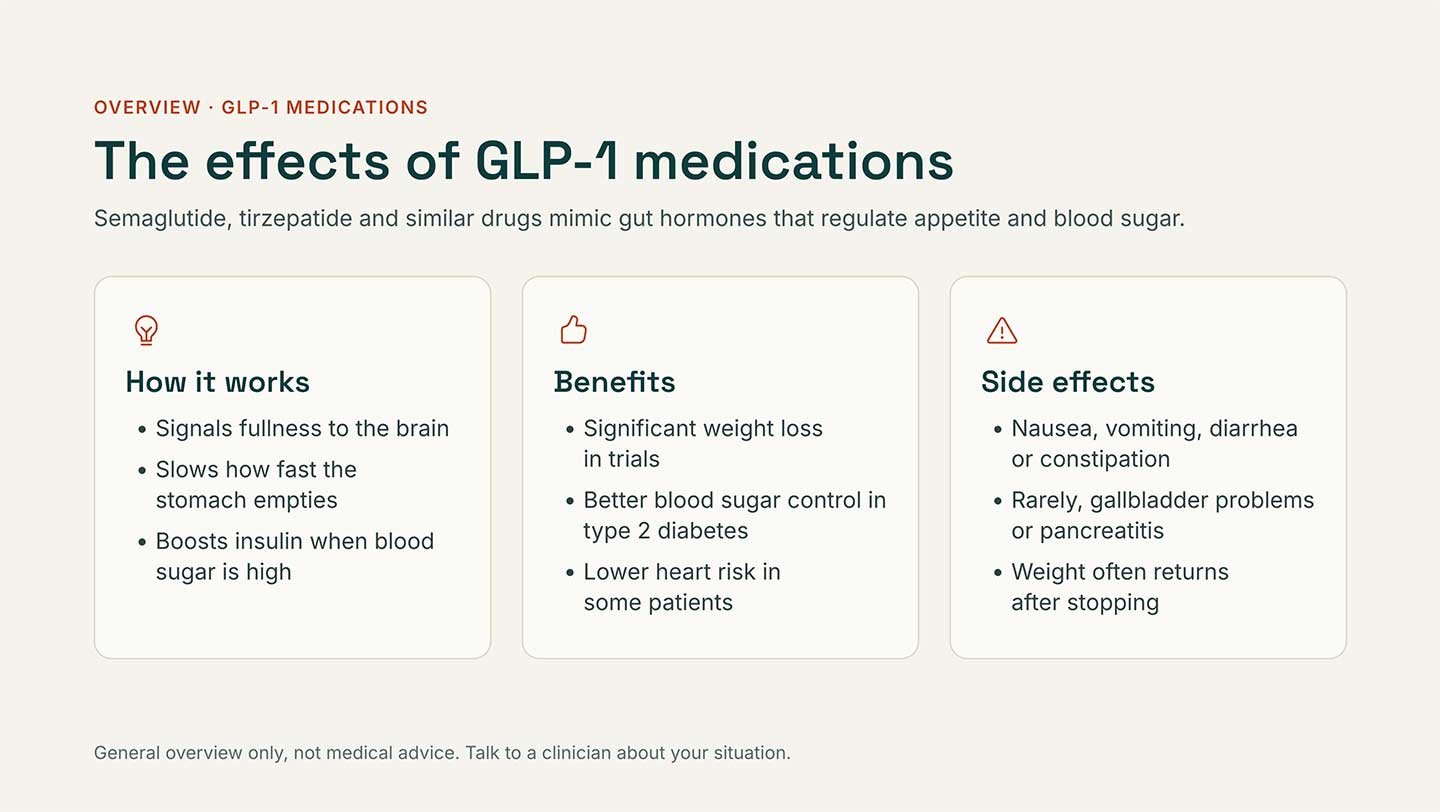
A typical Claude.ai slide design.
Why corporate needs more control in presentations
For an internal brainstorm or quick meeting, a small mistake is an inconvenience. For corporate and scientific presentations such as pharmaceutical work, it can be a serious problem.
Accuracy is non-negotiable. AI tools can generate text that sounds confident but is wrong or restate a figure slightly differently from the source. In a regulated environment, that's a risk. Every number, claim and footnote needs to trace back to an approved source.
Content goes through review. Pharmaceutical and healthcare presentations typically pass through medical, legal and regulatory review. That process depends on precise wording, correct references and a layout that keeps required information, such as safety information or disclaimers, clearly visible. Tools that rewrite or rearrange content on their own work against that discipline.
Brand and compliance rules are strict. Large organizations often have detailed templates, approved imagery and locked elements. A professional presentation designer works within those constraints and builds files that other people can edit without breaking them. AI tools tend to treat constraints as suggestions.
Confidentiality matters. Unreleased data and investor material shouldn't be pasted into just any tool. Companies need to be clear on how a tool handles their content before using it especially if it’s being uploaded to an open-source online tool.
Human vs AI presentation design: when to use each
Depending on your needs and timeline, you need to match the tool to the stakes.
Here’s when to use AI:
The deck is internal, informal or short-lived
You need a first draft or an outline to react to
You're summarizing a long document into key points
Speed matters more than polish
There's no strict brand or compliance requirement
Here’s when to hire a professional presentation designer:
The audience is investors, clients, regulators or senior leadership
You're building an AI pitch deck or fundraising deck where first impressions decide outcomes
The deck needs to follow strict brand guidelines or be reused by a team
You're presenting complex data or a complicated story
The content is regulated, reviewed or accuracy-critical
You want creative direction, not just formatting
What I suggest you do
For many businesses, the best approach is a hybrid solution. Use AI tools to develop the content and structure of a presentation, then bring in a professional presentation designer to refine the story, establish a cohesive visual direction and bring the slides to life. This saves time during the initial drafting process while allowing you to focus your design budget where it matters most.
In fact, this is a workflow I've already started seeing with my own clients. Some use tools like Claude AI to develop their presentation content and structure before downloading an editable PowerPoint file and passing it along to me. During our initial meeting, we discuss their vision, objectives and design preferences. From there, I take the content and transform it into a custom-designed, professional presentation.
Ultimately, AI can help you get the content together, but a well-designed presentation requires more than just organized information. It takes creative direction, visual storytelling and an understanding of how to communicate complex ideas effectively.
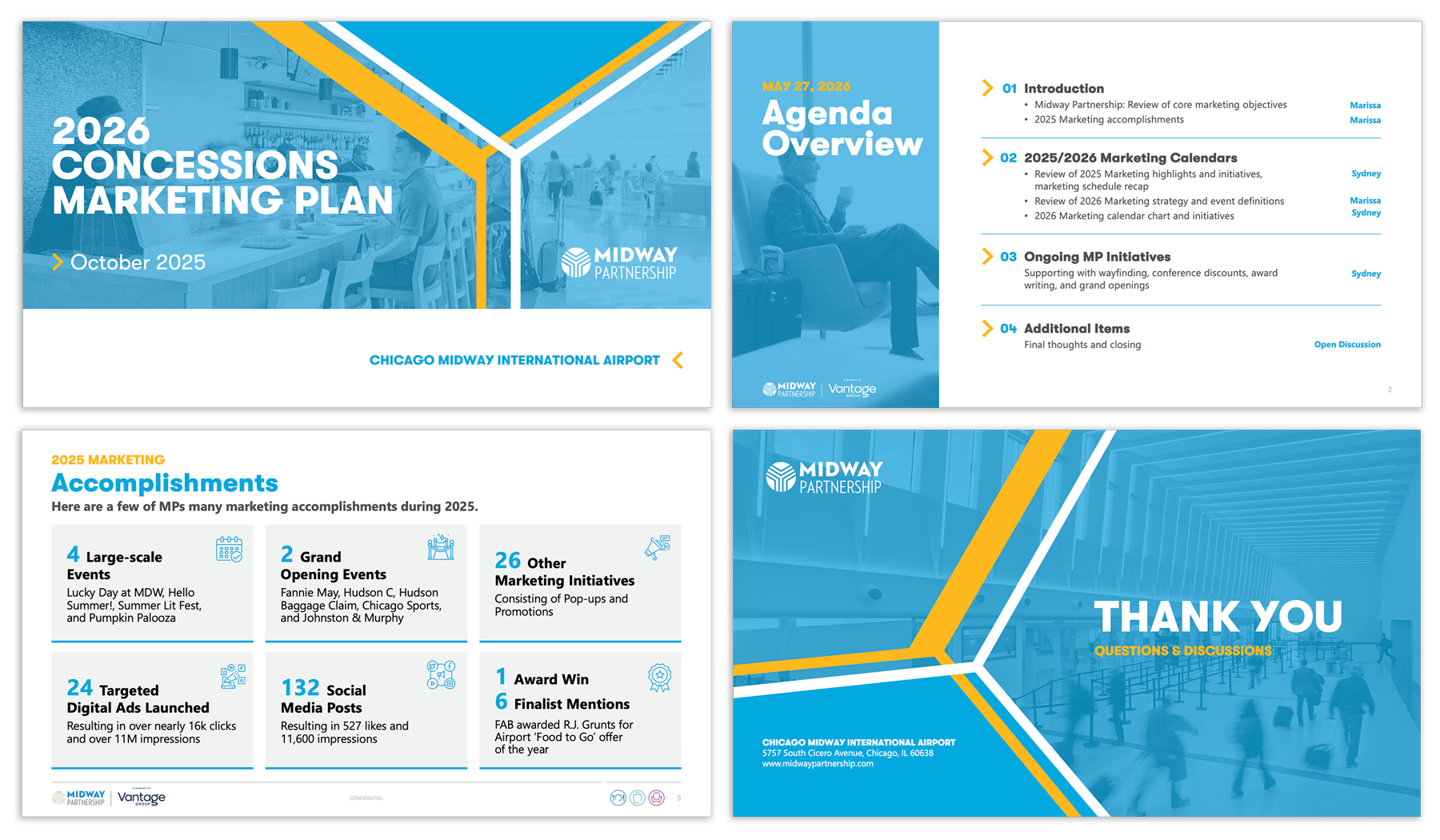
A fully custom PowerPoint template for Midway Partnership, thoughtfully crafted by a professional presentation designer, Linda Tran.
How I use AI for my presentations
As a designer, I have to continually learn about AI since it’s becoming normal to integrate these tools as part of my regular design process. I’ll use AI to generate custom imagery and background graphics for many of my presentations. In other cases, I may ask it to do a simple small task which would normally take me an hour to do in Photoshop such as recoloring a chart of making a photo sharper.
In conclusion…
I’ve personally had clients reach out to work with because they were fed up with writing AI prompts because it wasn’t doing what they wanted it to. Or they simply don’t have the time to tinker with slides in PowerPoint. They just want a completed and professional presentation designed consistent to their brand guidelines.
AI presentation tools are real, useful and getting better. They're not a threat to good design, but they do change what good design is for. When anyone can produce a clean-looking deck in a minute, a clean-looking deck stops being impressive. What stands out is clarity, originality, accuracy and a story that lands, and those still come from people who think creatively.
So, can AI replace a presentation designer? For quick, low-stakes slides, it can stand in. For the presentations that matter, the ones that win funding, earn trust or pass regulatory review, you'll still want someone with a creative eye in your corner.
Do you have a presentation that you need help with?
Let's talk about how professional graphic design, with or without AI can help you get to the finish line.
View My Portfolio of Original Creative Work before the AI Era.